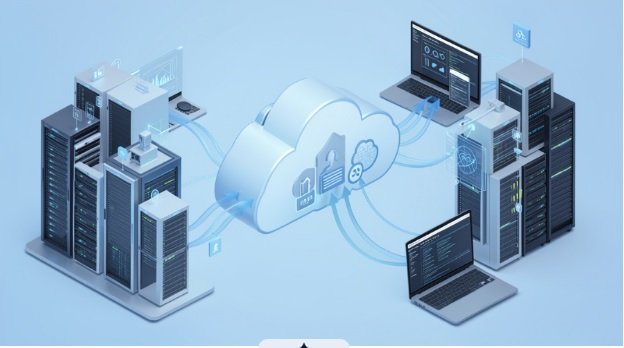
Cloud migration has emerged as an important consideration for companies striving to modernize their tech stack, improve resiliency, and enable a modern and responsive organization. Yet migrating apps and data to the cloud is much more complex than migrating applications from on-premises machines into remote resources. In order to plan correctly, the organization should set realistic goals and have a good idea of what the decision will mean for people, processes, and day-to-day.
The Market for Cloud Migration Services has come about because business leaders have come to understand that it’s not about leveraging technology to enable what they’re already doing or migrating their infrastructure, applications, and data to the cloud in a “planned approach.” Clouds are now extended into the data center for developing, data analytics, collaboration, disaster recovery, and AI. What these companies are really saying by asking the question if they should migrate to the cloud is which workloads should be migrated, when it should happen, and what benefits can be expected from it.
Begin With a Clear Business Case
A realistic cloud migration strategy has to be based on organizational aims and objectives, not technology. It can be tempting to begin researching cloud migration from a technological standpoint, assessing possible vendors, estimating infrastructure needs, or choosing which servers to migrate. These are all important tasks, but they should come later after understanding the underlying business motives.
Organizations have various objectives in beginning a cloud migration project. Some may seek to replace aging infrastructure while others have specific requirements such as disaster recovery capabilities. For organizations that are experiencing growth, the need may be driven by a desire to scale more rapidly than would be possible with traditional data centers. Established organizations may wish to consolidate their technology footprints.
Reducing costs can be a significant driver, but it is rarely achieved through cloud migration. Costs can arise in a variety of ways, including computational power, storage, network bandwidth, licensing software, backup, operation, and optimization.
Instead of working toward vague goals related to financial benefits, companies should set specific objectives for cloud migration. For example, the company could aim to decrease the time needed to deploy applications, ensure business continuity in case of technology failure, phase out obsolete infrastructure,e or scale up resources when demand increases.
Such objectives will serve as guiding principles and help evaluate migration outcomes after migrating all the workloads. Besides, these targets will help establish whether the migration is successful if they are met after moving all the workloads to the cloud. Thus, setting these objectives should be a central goal in any cloud migration programme.
Understand the Existing Technology Environment
Before determining which applications to migrate to the cloud, businesses need to identify their current assets.
This can prove to be a challenging task, especially for large organisations which may host numerous applications from a variety of different departments. Some of these applications may not be properly documented, while others may rely on legacy technology only a few employees are familiar with.
Therefore, an assessment should not simply focus on individual servers but rather on the application as a whole, including the data it processes, the people who use it, and the systems it connects to.
Most importantly, application ownership needs to be established since every workload must have a designated owner who understands its business requirements and can, therefore, facilitate migration decisions.
In addition, businesses must have a clear idea of the application’s importance, along with the consequences of its downtime, and what level of performance to expect.
Dependencies tend to be similar. An application may seem to be standalone, but it may rely on a database, file server, authentication system, network service, or 3rd party integration somewhere else in the environment.
Mapping out these relationships ahead of time can save a lot of headaches later on. Migrating one application without knowing what it relies on can cause issues with the dependencies or cause outages to those dependencies.
Decide Which Workloads Need to Move
A robust migration strategy recognizes that not all applications are “migration candidates.” Some applications are “candidates for retirement;” some workloads have no compelling reason to exist elsewhere (in the cloud) and will be “left where they are;” re-hosting or re-platforming are options for some workloads while others may require more involved approaches such as re-architecture or replacement.
Rehosting tends to be the easiest option, although it often has the least technical upside. Rehosting typically involves making only minor changes to a workload to deploy it in another environment. Organizations undertake rehosting initiatives in order to quickly exit a data center or reduce management overhead of legacy infrastructure, without making major changes to an application’s architecture.
The downside is often that rehosting does little to address underlying technical challenges; if an application has poor technical architecture or technical debt, these issues are not addressed by rehosting.
Replatforming can be seen as rehosting with changes; an organization would replatform an application in order to realize some technical or economic advantages of cloud services, while making only minor changes to the application itself. For example, an organization may decide to replatform an application to migrate from self-hosted databases to a managed relational database service.
Refactoring or re-architecture is more involved than the previous two options. The application can be restructured to take advantage of cloud capabilities, become more scalable, or adopt a different operating model. However, the scope of such a significant change often requires more time, testing, and expertise.
In some cases, the best option is to replace the existing system. It can be necessary if the software that has to be migrated is outdated and not worth the effort of migration and subsequent maintenance. Newer alternatives can be a better fit for long-term operations.
Most importantly, the approach for migrating each workload should be decided individually. The same solution might not work for every system, so it is essential to consider each application’s needs and migration options separately.
Make Security Part of the Strategy From the Beginning
Security measures must be taken before workloads are migrated instead of after the migration is complete.
The shift to a cloud environment can introduce new challenges to an organisation’s approach to identity management, permissions, networking, data storage, and administrative controls, as well as responsibilities that are shared or fully assumed by the cloud provider.
Organisations should establish what their security goals are before beginning to design a target environment.
They should consider questions such as how users will be authenticated, how privileged accounts can be controlled, how sensitive data can be protected, and how the organisation can monitor its activities.
The storage of data was highlighted, so organisations must understand where information will be kept, who will have access to it, how it will be encrypted, and how long it must be retained.
Many industries have regulations that can impact the architecture and providers that an organization selects.
Industries that handle financial, personal, health, or other sensitive information, or that are subject to regulatory requirements relating to privacy, auditing, or record-keeping, or the control, security, and retention of data, must comply with these requirements.
A final point is developing the appropriate response to incidents, including logging, monitoring, and other processes, which should be considered when designing a cloud migration strategy, rather than being implemented in isolation after systems have already been built and processes established.
Create a Reliable Cloud Foundation
Production workloads must never end up in an unordered cloud environment.
Before moving workloads to a new provider, companies should think about the necessary infrastructure for the workloads: identity management, networks, security, monitoring, resource policies, and account organization or resource structure.
Depending on the size and organizational complexity of companies, the structure can be more straightforward or, on the contrary, include separate groups of resources for different teams, applications, regions, and business units.
Governance should be considered as a set of rules that must be followed to standardize operations while reducing excesses in bureaucracy. Employees need to know who is responsible for what in the cloud environment: who owns resources, who approves changes, who authorizes and monitors security, and compliance procedures.
In addition, governance establishes the basis for the standardized implementation of resources, ensuring their uniform configuration. Without standardization, multiple cloud environments will be difficult to secure, monitor, and manage.
Keep Cloud Costs Under Continuous Review
Cloud financial management should not be suspended during the migration period and after the workloads’ stabilization.
The consumption-based compensation policy is flexible, but it can also be associated with significant cost risks due to improper resource organization. The unnecessary spending on development environments, oversized virtual machines, excessive storage, and data transfers can undermine the budget significantly.
Therefore, companies should establish a baseline to compare the post-migration costs and benefits. It is essential to analyze the current infrastructure and expenditures to identify the migration’s impact on the overall performance.
After migration, it is critical to ensure the rational use of resources and expenditures. It is essential to involve the specific owners of the migrated workloads in the cost management process since they will be responsible for the resource organization. Thus, the chances of inefficiency will be minimized due to the team’s awareness of their responsibilities.
The cost optimization should not be the driving force of the migration process. If the new architecture offers more significant reliability, security, or scalability advantages, it should be chosen regardless of the initial expenses. Organizations should adopt a balanced perspective where the expenditures are justified by the benefits rather than focusing solely on the costs.
Move in Controlled Stages
A large migration effort is better split into several waves as each makes an isolated impact that’s easier to control.
Massive migration of all the applications at once can create too much chaos, thus making it hard to isolate issues and determine what went wrong. Smaller initial waves allow us to test procedures, security controls, monitoring rules, operations, and other aspects before they are deployed within larger and more important workloads.
The first wave migration must be prioritized to something that is important enough to gain experience yet simple enough to control and resolve any issues that may arise. As the company gains more experience with handling migrations, following waves should be more complex to allow utilizing and refining existing procedures.
Migration window timing is also something to consider, as businesses often have seasonal periods where demand surges, financial closing dates that dictate when financial reports can be opened, product releases, and other events that make some times unsuitable for migrations. The migration schedule should reflect dependencies, level of business importance, technical complexity, data volume, downtime tolerance, workforce availability for testing and support, and other factors.
Test the Business Experience, Not Just the Technology
A successful migration goes beyond verifying that an application launches in the target environment.
Testing procedures should be designed to determine if the system meets technical and business requirements. Load testing can help identify performance issues, and security testing can reveal permission or access problems.
Testing procedures should also ensure that data is accurate and available. Most businesses want to assure themselves that the information is correctly migrated and accessible in case of application issues.
User acceptance testing helps find failures that would not be apparent to technical personnel. It emulates actual business processes, so a system might appear to work correctly in testing but fail when used in actual practice.
Testing for critical workloads should be conducted against a set of success criteria that were established beforehand. That way, organizations can have objective measures for evaluating whether a workload is production-ready.
Have a Clear Cutover and Recovery Plan
Any production migration must have a comprehensive cutover plan that describes the necessary steps in detail.
The plan should clearly define the sequence of activities that need to be taken, who is responsible for these steps, and how the success of each particular stage is determined.
Furthermore, it is essential to design rollback planning procedures to deal with possible issues discovered during the transition stage, which would allow returning the system to a working state.
Communication should be integrated into the plan as well. The employees, customers, and support teams may require prior notification about disruptions as well as information about how to report and receive updates regarding the migration process.
Clear communication can prevent confusion and allow the technical staff to address actual problems reported by users instead of trying to interpret vague user concerns.
Prepare Employees for the New Operating Model
Cloud migration is often associated with infrastructure changes, but it can also have an impact on the competencies of technical staff.
Those who have been managing physical servers may need to acquire skills in cloud networking, identity management, automation, monitoring, and security. In addition, developers may need training in managed services, containers, application programming interfaces, and other cloud-specific technologies.
Therefore, it is necessary to include training in the migration program.
Moreover, documentation should also be covered by the migration program, since it is vital to ensure that knowledge is not stored in the minds of just a few people.
It is necessary to create procedures and document responsibilities so that other members of the team can take over some of the duties in case of emergency. These measures will reduce the burden on the specialists and make the transition to the cloud more comfortable.
Measure What Changed After Migration
Migration cannot be considered done simply because a load has been moved into its new environment.
After systems are up and running, it is important to measure whether the targets identified during the project charter have been met.
Performance, availability, recovery time, infrastructure costs, resource utilization and deployment process, as well as user reactions, may be used as metrics. These indicators allow identifying whether migration made the environment more or less efficient, and how it affected day-to-day operations.
In addition, such analysis helps to understand whether there is a need to rehost other elements. Some of the rehosted applications may turn out to be perfect as they are, requiring no further changes. In other cases, an application that was rehosted may be taken out of the infrastructure to make it more streamlined and controlled. Thus, it may be more efficient to follow the step-by-step migration process rather than trying to relaunch everything at once.
Avoid Common Migration Pitfalls
One of the most common mistakes is attempting to migrate everything.
Massive migrations that are not properly tested can turn manageable technical issues into multi-million-dollar disasters.
One of the other challenges is that people believe that by migrating to the cloud, they suddenly have a cost centre that will decrease expenses.
In addition, businesses overlook the dependencies that exist within IT systems. For example, how applications are related to each other must be identified before splitting up workloads.
Organizations should also stop trying to modernize for the sake of modernization.
While there are clearly benefits to adopting emerging technologies like containers and serverless, it can lead to poor resource allocation if applied carelessly.
Lastly, enterprises should not treat migration as a one-time project.
Even after everything has been deployed, the cloud environment needs to be managed, including performing periodic security assessments, analyzing costs, reviewing performance, and more.
Looking Beyond the Initial Migration
Hybrid environments seem to be something of the future. Some companies will undoubtedly go hybrid as they seek to find ways to develop applications, manage data, automate operations, and employ artificial intelligence in new ways.
Hybrid environments mean balancing on-premises, private, and public cloud technologies. This approach may be required by regulatory, technical, budgetary, or operational considerations in some organizations.
Therefore, flexibility should be a priority in any cloud strategy since it allows an organization to react to current demands without complicating its ability to make changes in the future.
Businesses should consider migrating an application with little change at first and then modernizing it later if and when the need arises. Some companies should stick to their systems until particular technologies or regulations change.
A Practical Path Forward
A successful cloud migration does not rely on speed; it is a process that requires prudence and careful change management.
The first step is to identify the business needs and current technology landscape to understand exactly which workloads will be retired, retained, rehosted, replatformed, redesigned, or replaced.
Security, governance, and cost considerations should be built into the strategy as the foundation for decision-making. Migration should be broken into logical waves and thoroughly tested with clear cutover and recovery procedures. Equally important is ensuring that staff members are trained and that documentation is up to standard.
Finally, it is critical to realize that migrating workloads is only the beginning of a larger technology transformation. After migration, organizations can use the information and experience to define their technology strategy based on evidence, rather than assumptions.
Overall, cloud migration is not a sprint; it is a marathon that has to be measured in terms of value. By prioritizing planning, collaboration, and ongoing improvement, organizations can ensure that they get the most out of their cloud investment.