Retail and hospitality businesses handle numerous daily transactions, customer orders, receipts, and product identification tasks. Managing these activities efficiently requires reliable equipment that can support fast service and accurate information processing. Printing technology plays an important role in these operations, particularly when employees need to generate receipts, kitchen orders, product labels, and transaction records throughout the day.
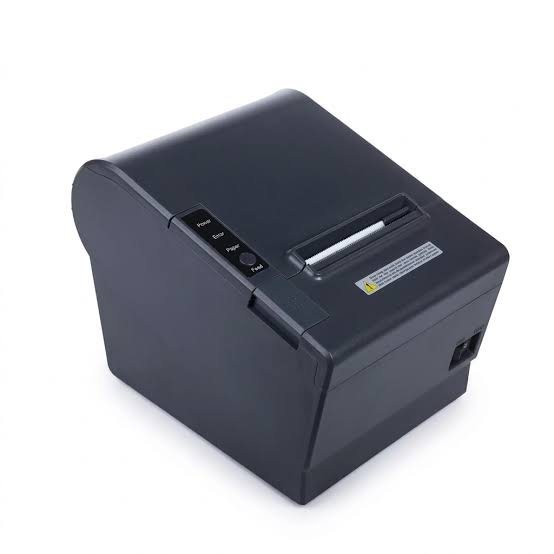
Thermal printing has become a popular solution because it offers fast printing, convenient operation, and relatively simple maintenance. Unlike traditional inkjet and laser printers, thermal printers use heat to create text, images, and barcodes on compatible materials. By integrating a suitable Thermal Printer into daily workflows, retail stores, restaurants, hotels, and other service businesses can improve operational efficiency and provide a smoother customer experience.
Understanding the Role of Thermal Printers in Retail and Hospitality
Thermal printers are designed to produce printed information through controlled heating. Depending on the printing technology, they either activate a heat-sensitive paper coating or transfer ink from a ribbon onto a compatible surface.
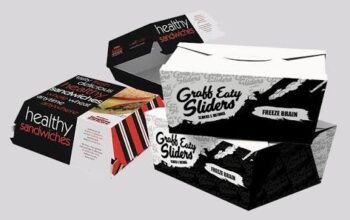
In retail environments, these devices are commonly used for customer receipts, price tags, barcode labels, and transaction records. Hospitality businesses use them for billing, kitchen order tickets, reservation documentation, and takeaway packaging labels.
Their ability to produce information quickly makes them useful in environments where employees need to complete repetitive printing tasks without interrupting customer service.
1. Faster Checkout Processes in Retail Stores
One of the most important ways thermal printers improve retail efficiency is by supporting faster checkout operations.
During busy shopping periods, cashiers must process transactions quickly while maintaining accurate records. Slow printing can create unnecessary delays and increase customer waiting times.
Thermal receipt printers help address this issue by producing transaction information rapidly. Their printing mechanism does not require traditional ink cartridges or toner, making them convenient for frequent receipt generation.
Retail businesses can benefit through:
- Faster receipt production after payments.
- Reduced delays at checkout counters.
- Smoother transaction processing.
- Better handling of peak shopping hours.
- More efficient cashier workflows.
By reducing the time required to complete printing tasks, retailers can maintain a more organized checkout environment.
2. Improved Receipt Management and Transaction Records
Receipts provide customers with important information about their purchases, including product descriptions, prices, taxes, payment methods, and transaction dates.
Thermal printers help businesses generate these records consistently and quickly.
Modern POS systems can send transaction information directly to connected receipt printers. This reduces the need for employees to enter information manually and helps maintain accurate documentation.
Retailers can use thermal receipts for:
- Customer purchase records.
- Return and exchange documentation.
- Payment confirmations.
- Daily sales tracking.
- Transaction verification.
Clear and properly formatted receipts also help customers understand their purchases and provide useful information when resolving billing questions.
3. Better Product Identification and Price Labeling
Product identification is another important part of retail operations. Stores handle products with different sizes, prices, categories, and inventory codes, making accurate labeling essential.
Thermal label printers allow employees to produce product tags, barcode stickers, shelf labels, and price identification materials.
These labels help staff identify products and support customers when searching for specific items.
Common retail labeling applications include:
- Product names and descriptions.
- Retail prices and discount information.
- Barcode identification.
- Stock-keeping unit numbers.
- Shelf and storage labels.
Thermal printing also makes it easier for businesses to update labels when product prices or inventory information changes.
4. More Efficient Barcode Scanning and Inventory Management
Inventory management requires accurate product identification and organized stock records. Thermal printers support these processes by producing labels containing barcodes and other tracking information.
Retail employees can scan printed barcodes when receiving products, moving stock, conducting inventory checks, or completing sales.
This creates a connection between physical products and digital inventory records.
The benefits include:
- Faster product identification.
- Reduced manual data entry.
- Improved stock monitoring.
- More organized storage.
- Better inventory accuracy.
- Easier product tracking.
When integrated with inventory management software, thermal printing systems can help retailers maintain more efficient stock control procedures.
5. Faster Kitchen Order Processing in Restaurants
<AsyncImage query=”restaurant kitchen thermal receipt printer printing food order ticket professional kitchen” aspectRatio=”16:9″ width=”100%”/>
Restaurants handle multiple orders simultaneously, especially during lunch, dinner, and other busy service periods. Clear communication between front-of-house employees and kitchen staff is essential for maintaining service quality.
Kitchen thermal printers help simplify order communication by printing customer selections directly from restaurant POS systems.
For example, when a customer places an order, the system can automatically send the relevant details to a kitchen printer.
Printed tickets may include:
- Food and beverage selections.
- Table numbers.
- Special preparation instructions.
- Order quantities.
- Modification requests.
- Takeaway or delivery details.
This approach reduces the need for handwritten notes and helps kitchen employees organize incoming orders.
6. Reduced Customer Waiting Times in Hospitality Businesses
Customer waiting times can influence satisfaction in restaurants, cafes, hotels, and other hospitality establishments.
Thermal printers support faster service by helping employees complete routine printing tasks without unnecessary delays.
Restaurants can generate bills quickly, hotels can print transaction records, and cafes can produce order tickets efficiently.
Faster printing contributes to:
- Quicker payment processing.
- More organized order handling.
- Faster takeaway preparation.
- Smoother front-desk operations.
- Better coordination between employees.
Although printing speed is only one part of the overall service process, reliable equipment can help prevent avoidable interruptions.
7. Support for Takeaway and Food Delivery Operations
<AsyncImage query=”restaurant takeaway food packaging thermal barcode order label printer” aspectRatio=”16:9″ width=”100%”/>
Takeaway and food delivery services require accurate order identification and packaging management.
Thermal label printers can produce stickers containing order numbers, customer details, preparation instructions, and other relevant information.
Employees can attach these labels to food containers or packaging to distinguish different orders.
This is particularly useful when restaurants handle several takeaway and delivery orders simultaneously.
Thermal printing can support:
- Order identification.
- Packaging organization.
- Delivery preparation.
- Customer order verification.
- Food item labeling.
Businesses should select suitable label materials for their packaging requirements and consider food-contact safety when choosing where and how labels are applied.
8. Improved Hotel Front Desk Operations
<AsyncImage query=”hotel reception desk POS thermal receipt printer computer hospitality” aspectRatio=”16:9″ width=”100%”/>
Hotels and accommodation providers manage reservations, guest payments, billing information, and service documentation.
Thermal printers can help reception employees produce receipts and other transaction-related records quickly.
Common applications include:
- Guest payment receipts.
- Restaurant billing documents.
- Service transaction records.
- Parking tickets.
- Reservation-related documentation.
- Internal identification labels.
When connected to hotel management software, compatible printers can receive information directly from the system, helping reduce manual work and improve document consistency.
9. Lower Printing Consumable Expenses
Operating costs are an important consideration for retail and hospitality businesses, particularly those that print large numbers of receipts every day.
Direct thermal printers do not require conventional ink cartridges or toner. Instead, they use specially coated thermal paper.
This can simplify consumable management and reduce the number of supplies businesses need to purchase and store.
Thermal transfer printers use ribbons, but they also avoid conventional ink cartridges.
Potential cost advantages include:
- Reduced dependence on ink supplies.
- Fewer consumable replacement procedures.
- Simplified inventory of printing materials.
- Convenient receipt production.
- More predictable supply management.
Actual savings depend on the printer type, printing volume, media prices, and maintenance requirements. Businesses should compare total operating costs rather than considering consumable expenses alone.
10. Quiet Printing for Customer-Facing Environments
Retail counters, hotel reception areas, and restaurant service stations are environments where employees interact directly with customers.
Excessive equipment noise can create unnecessary distractions, especially when multiple devices operate simultaneously.
Thermal printers generally produce less operating noise than many conventional printing systems because their printing mechanisms use fewer complex moving components.
Their relatively quiet performance makes them suitable for:
- Retail checkout counters.
- Hotel reception desks.
- Restaurant billing stations.
- Cafe service counters.
- Customer support areas.
This can contribute to a more comfortable working environment for both customers and employees.
11. Compact Designs for Limited Workspaces
Many retail and hospitality businesses have limited counter space. Restaurants need room for POS terminals and order management equipment, while hotel reception desks must accommodate computers, payment devices, and customer documents.
Compact thermal printers help businesses organize these workspaces more effectively.
Desktop models can fit on checkout counters and reception desks without requiring large installation areas.
Mobile models offer additional flexibility for businesses that need printing access in different locations.
Selecting a suitable printer size can help maintain an organized workstation while ensuring that employees have convenient access to printing equipment.
12. Flexible Connectivity With POS Systems
Modern retail and hospitality businesses increasingly depend on digital systems to manage payments, orders, and inventory.
Thermal printers can connect with compatible POS terminals, computers, tablets, and other business devices.
Depending on the model, connectivity options may include:
USB: Suitable for direct connections with computers and POS terminals.
Ethernet: Useful for connecting printers to business networks and shared workstations.
Bluetooth: Supports wireless printing from compatible mobile devices.
Wi-Fi: Allows supported printers to communicate through wireless networks.
Integration with POS software can automate receipt and order printing, reducing the need for employees to enter the same information multiple times.
13. Support for Multiple Business Locations
Retail chains, restaurant groups, and hotel operators may manage several branches or service locations.
Consistent printing equipment can help standardize operational procedures across these locations.
For example, a retail company can use compatible receipt printers across different stores, while a restaurant chain can implement similar kitchen printing workflows in multiple branches.
Standardized equipment may simplify:
- Employee training.
- Consumable purchasing.
- Equipment maintenance.
- Software integration.
- Printing procedures.
Businesses operating multiple locations should consider centralized printer management and compatibility when selecting equipment.
14. Reliable Performance During Busy Operating Hours
Retail and hospitality operations often experience sudden increases in customer activity.
A printer that stops working during a busy period can interrupt billing, order processing, and other essential tasks.
Businesses should therefore select equipment with specifications that match their daily workload.
Important considerations include:
- Expected printing volume.
- Printhead durability.
- Media roll capacity.
- Printing speed.
- Connectivity reliability.
- Maintenance requirements.
Retail stores with moderate printing requirements may find desktop models sufficient, while large restaurants or busy commercial environments may require equipment designed for higher workloads.
15. Better Organization Through Digital Printing Workflows
Thermal printers can support more organized workflows when integrated with digital business applications.
For example, a retail POS system can automatically generate receipts after payment confirmation. Similarly, restaurant software can send customer orders to designated kitchen printers based on food categories or preparation areas.
These automated processes reduce manual communication and help employees follow consistent procedures.
Businesses can also connect compatible printing systems with inventory management, order processing, and shipping applications.
The result is a more structured approach to handling daily transactions and printed information.
Choosing the Right Thermal Printer for Retail and Hospitality
Although thermal printers offer several operational advantages, selecting suitable equipment requires an understanding of business requirements.
Printing Application
Determine whether the printer will be used for receipts, product labels, kitchen orders, shipping documents, or inventory identification.
Printing Volume
Estimate how many receipts or labels the business produces daily. Choose equipment with sufficient capacity to handle peak operating periods.
Printing Technology
Direct thermal printing is generally suitable for receipts and temporary labels, while thermal transfer printing is more appropriate for applications requiring longer-lasting identification materials.
Resolution
Choose a resolution that supports the required text, graphics, and barcode details.
Connectivity
Confirm compatibility with existing POS systems, computers, mobile devices, and business software.
Maintenance and Operating Costs
Consider paper expenses, ribbon requirements, cleaning procedures, replacement parts, and technical support.
Evaluating these factors can help retail and hospitality businesses choose equipment that supports their workflows without unnecessary expenses.
Conclusion
Thermal printers play an important role in improving efficiency across retail and hospitality businesses. Their ability to produce receipts, product labels, kitchen orders, and barcode information quickly makes them valuable tools for daily commercial operations.
From speeding up checkout processes and improving inventory management to supporting restaurant order coordination and hotel reception activities, thermal printing technology can simplify numerous tasks. Its relatively simple maintenance requirements, quiet operation, compact designs, and flexible connectivity provide additional advantages.
By selecting equipment that matches their printing volume, application requirements, and existing business systems, retail and hospitality organizations can improve workflow consistency, reduce avoidable delays, and provide a smoother customer experience.