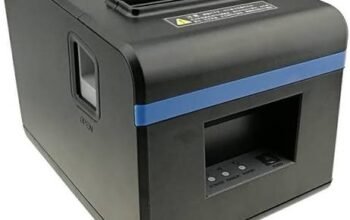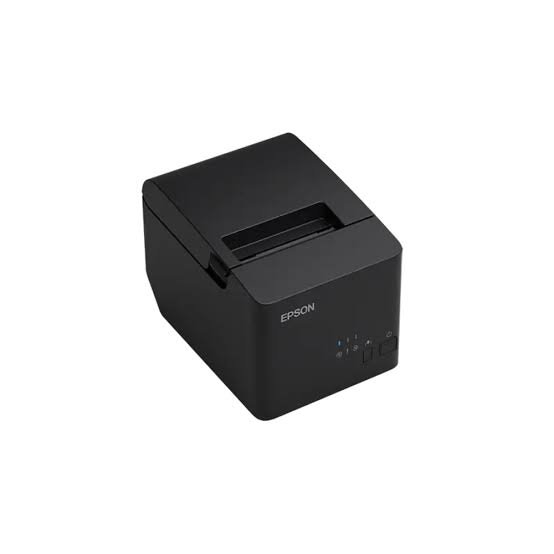
The receipt printer industry is evolving alongside changes in retail technology, digital payments, business automation, and customer service expectations. Although receipt printing remains an essential part of many commercial transactions, businesses increasingly expect printing equipment to offer faster performance, flexible connectivity, reliable operation, and compatibility with modern point-of-sale (POS) systems.
Technological developments are also changing how businesses manage transaction records and communicate with customers. A modern Receipt Printer is no longer simply a device for producing paper receipts. It can be part of a connected business environment that supports automated workflows, digital services, and more efficient transaction management.
1. Growing Adoption of Cloud-Based POS Systems
Cloud-based POS technology is influencing how receipt printers are selected and integrated into business operations. Instead of relying entirely on locally installed software, cloud POS platforms allow businesses to manage sales information and access essential functions through internet-connected devices.
Receipt printers that support compatible cloud printing arrangements can work with tablets, computers, and network-based POS systems. This flexibility is particularly useful for businesses operating multiple checkout stations or locations.
Cloud integration also supports centralized management in some systems. Business owners can monitor sales activity and coordinate operations across different branches while using compatible local printing hardware.
However, cloud-based printing still depends on suitable software, network configurations, and supported printer communication methods.
2. Expansion of Wireless Printing Technology
Wireless connectivity has become an important consideration in modern receipt printer development. Bluetooth and Wi-Fi interfaces allow compatible printers to communicate with POS terminals without requiring a direct USB connection.
Bluetooth printing is especially useful for mobile checkout arrangements, food trucks, temporary retail locations, and table-side payments. Employees can carry compatible devices and print receipts close to customers.
Wi-Fi connectivity offers another option for businesses that need flexible printer placement or network-based communication between multiple devices.
As wireless POS environments become more common, manufacturers are focusing on improving connection stability, compatibility, and ease of configuration.
3. Faster Printing Speeds and Improved Performance
Transaction speed directly affects checkout efficiency, particularly in supermarkets, restaurants, convenience stores, and other high-volume environments.
Manufacturers continue to improve printing mechanisms, processing capabilities, and hardware designs to support faster output. Modern thermal printing technology can produce receipts quickly without requiring ink cartridges or toner.
Faster printing can help reduce customer waiting times during busy periods. However, businesses should evaluate performance alongside print clarity, cutting reliability, paper handling, and long-term durability.
A printer’s actual performance also depends on the quality of its components and how effectively it integrates with the connected POS system.
4. Advancements in Thermal Printing Technology
<AsyncImage query=”modern thermal receipt printer printing paper close up retail POS device” aspectRatio=”16:9″ maxHeight={190}/>
Thermal printing remains a major technology in the receipt printer industry because it offers a relatively simple printing process and requires fewer consumable components than traditional ink-based systems.
Direct thermal printers use heat-sensitive paper to create text and graphics. This eliminates the need for ink or toner, making the technology suitable for businesses that print receipts frequently.
Recent product development focuses on improving printhead durability, thermal control, printing consistency, and energy efficiency. These improvements can help businesses maintain readable receipts while reducing maintenance requirements.
Thermal technology is also being adapted for compact devices and specialized commercial applications.
5. Greater Compatibility with Mobile Devices
Mobile POS systems are becoming increasingly common in retail, hospitality, and service industries. Smartphones and tablets can now perform many functions previously associated with traditional checkout terminals.
This development has increased demand for receipt printers that support mobile operating systems and wireless communication.
Compact printers can connect to compatible mobile devices, allowing employees to complete transactions in different areas of a store or service location. Restaurants can use this arrangement for table-side ordering, while delivery businesses may use portable equipment to provide transaction records.
Manufacturers are responding by developing devices with flexible connectivity and software support for different mobile platforms.
6. Integration with Digital Payment Systems
Digital payments have changed the way businesses process transactions and generate receipts. Customers increasingly use contactless cards, mobile wallets, and other electronic payment methods.
Receipt printers are integrated with POS environments that connect payment terminals, transaction software, and sales management tools. After a payment is approved, the system can automatically prepare a receipt containing the relevant transaction details.
Some systems also allow customers to choose between printed and electronic receipts. This gives businesses flexibility while maintaining access to transaction records.
As payment technologies develop, compatibility between receipt printers and updated POS platforms will remain an important consideration.
7. Increased Demand for Compact and Space-Saving Designs
<AsyncImage query=”compact desktop thermal receipt printer on small retail checkout counter” aspectRatio=”16:9″ maxHeight={190}/>
Commercial spaces often have limited counter space, particularly in small cafés, convenience stores, kiosks, and mobile retail environments.
Compact receipt printers help businesses organize checkout equipment without occupying unnecessary space. Smaller designs can also make installation easier when several devices need to be positioned around a workstation.
Manufacturers are working to balance compact dimensions with printing speed, paper capacity, connection options, and durability.
The trend toward smaller equipment is expected to remain relevant as businesses adopt flexible POS layouts and mobile service models.
8. Development of Energy-Efficient Printing Equipment
Energy efficiency is becoming an important design consideration across commercial electronics. Businesses increasingly evaluate the power consumption of equipment used throughout daily operations.
Receipt printer manufacturers can improve energy performance through efficient power management, optimized thermal components, and standby functions.
These developments may help reduce unnecessary electricity use, especially in businesses operating multiple printers across several locations.
Energy-efficient designs can also support longer-term operational planning, although actual savings depend on usage patterns, device specifications, and operating conditions.
9. Smart Monitoring and Predictive Maintenance
Connected business equipment creates opportunities for more advanced monitoring and maintenance processes.
Some modern POS environments can provide information about printer status, connection problems, paper availability, and device errors. This allows employees to identify potential issues before they significantly disrupt checkout operations.
Future developments may expand the use of diagnostic software and automated alerts to help businesses anticipate maintenance needs.
For companies operating large numbers of printers, centralized monitoring can simplify equipment management. It can also help technical teams identify recurring problems and plan servicing more effectively.
10. Improvements in Print Quality and Reliability
Although transaction receipts primarily contain text and basic graphics, print clarity remains important. Customers and businesses need readable product descriptions, prices, tax details, and transaction references.
Manufacturers continue to improve printhead technology and printing controls to support consistent output. Better paper handling and cutting mechanisms can also reduce interruptions during busy periods.
Reliability is particularly important in environments where printers operate continuously throughout the day. Durable components and effective heat management can contribute to longer service life.
Businesses should consider both initial print quality and performance over extended periods when evaluating equipment.
11. Growing Interest in Sustainable Receipt Printing
Environmental considerations are influencing purchasing decisions throughout the printing industry. Receipt printers themselves are only one part of the sustainability equation; paper consumption, packaging, energy use, and product lifespan also matter.
Several developments are contributing to more responsible receipt printing practices:
- Using appropriately sized receipts to avoid unnecessary paper consumption.
- Offering digital receipts when customers prefer electronic records.
- Selecting paper from suppliers with clear environmental sourcing information.
- Improving printer durability to reduce premature equipment replacement.
- Using recyclable packaging where practical.
Businesses should also understand the limitations of thermal receipt paper. Not all thermal paper is suitable for ordinary paper recycling, so local recycling guidance and material specifications should be checked.
12. The Role of Automation in Modern Printing Workflows
Automation is helping businesses reduce repetitive tasks and improve transaction consistency. In a modern POS environment, receipt printing can be triggered automatically after a successful payment or completion of an order.
Advanced POS configurations can also route different print jobs to specific devices. Restaurants, for example, may send food preparation tickets to kitchen printers while customer bills are printed at the front counter.
Automated workflows reduce the need for employees to select printers manually for every transaction. They can also help minimize communication errors between departments.
As business software becomes more sophisticated, receipt printer integration will continue to support broader automation strategies.
13. Emerging Applications in Different Industries
Receipt printer technology is being used in an expanding range of commercial environments.
Retail and Supermarkets
Retailers use receipt printers to document product purchases, discounts, taxes, and payment information. High-volume stores benefit from reliable printing and integration with barcode scanners and checkout systems.
Restaurants and Hospitality
Restaurants use printing equipment for customer bills, kitchen orders, and internal transaction records. Wireless and network connectivity can support flexible layouts and multiple service areas.
Healthcare Services
Clinics, pharmacies, and healthcare service providers may use receipt printers for payment documentation, billing records, and other administrative transactions. Equipment selection must account for the software and data-handling requirements of each environment.
Transportation and Logistics
Transportation and logistics operations may use compact printing devices to produce transaction slips, service records, and other documents. Portable connectivity can be useful in mobile work environments.
These varied applications encourage manufacturers to develop products with different performance levels, dimensions, and communication options.
14. Challenges Facing the Receipt Printer Industry
Despite continued technological progress, manufacturers and businesses face several challenges.
Compatibility is one of the most important concerns. A printer may offer modern connectivity but still require specific drivers, software support, or communication protocols to work with a particular POS platform.
Other challenges include:
- Maintaining reliable wireless connections in busy environments.
- Balancing compact designs with durability and performance.
- Supporting different operating systems and POS applications.
- Managing paper supply and consumable availability.
- Controlling manufacturing costs while improving product quality.
- Meeting changing customer expectations for printed and digital receipts.
Addressing these challenges requires ongoing product development, testing, and cooperation between hardware manufacturers and software providers.
15. Future Outlook for Receipt Printer Technology
The future of receipt printing will likely involve greater integration with connected business systems, mobile devices, and automated workflows. Wireless communication, cloud-compatible printing arrangements, improved thermal components, and smarter monitoring tools are likely to remain important development areas.
Digital receipts may also become more widely available as businesses seek flexible ways to provide transaction records. However, printed receipts will continue to serve customers and industries that require physical documentation or operate in environments where electronic alternatives are less practical.
Manufacturers may increasingly focus on adaptable designs that support different business sizes, software platforms, and transaction environments. Product reliability, compatibility, and ease of maintenance will remain essential factors in purchasing decisions.
Conclusion
The receipt printer industry is changing in response to developments in POS software, wireless communication, digital payments, automation, and sustainability. Improvements in thermal printing, compact hardware, mobile compatibility, and device monitoring are creating new possibilities for commercial applications.
For businesses, choosing suitable printing equipment requires more than comparing basic specifications. Compatibility, connectivity, reliability, maintenance, and long-term operational needs should all be considered. As technology continues to advance, receipt printers will remain an important part of transaction management while adapting to increasingly connected business environments.