Checkout efficiency is an important part of successful business operations. Whether customers are purchasing groceries, paying restaurant bills, or completing transactions at a service counter, they expect the payment process to be quick and organized. Businesses must coordinate payment terminals, POS software, barcode scanners, cash drawers, and receipt printers to complete transactions smoothly.
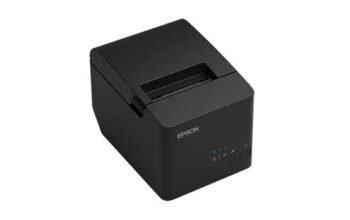
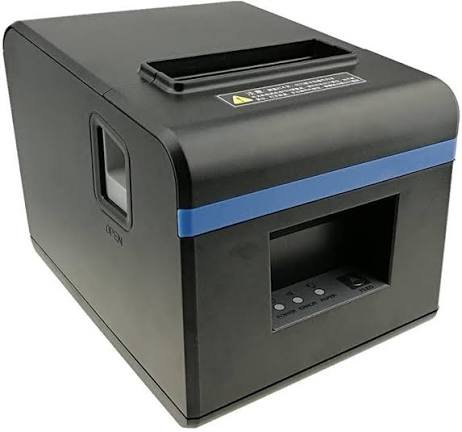
Receipt printers contribute to this process by converting digital transaction information into clear printed records. A suitable Xprinter Receipt Printer can support checkout operations through appropriate printing speed, connectivity, paper handling, and compatibility with POS systems. Understanding how these features work together helps businesses improve transaction workflows and reduce unnecessary delays.
1. Faster Receipt Printing Reduces Checkout Delays
Printing speed is one of the main factors influencing checkout performance. After a payment is processed, customers generally expect their receipts to be available without a long wait. Slow printing can interrupt the final stage of a transaction, especially when several customers are waiting.
Thermal receipt printers use heat-sensitive paper to produce text and images without traditional ink cartridges. This printing method supports quick receipt generation and eliminates the need for frequent ink replacement.
In supermarkets, convenience stores, and other high-traffic environments, faster printing can help employees maintain a steady checkout flow. Businesses should compare the rated printing speed of different models with their expected transaction volume.
2. Streamlining POS System Integration
A receipt printer works most effectively when it communicates smoothly with the point-of-sale system. Once a transaction is completed, the POS software sends relevant information to the printer, which produces the corresponding receipt.
Depending on the model, connectivity options may include:
- USB: Suitable for direct connections to POS computers and terminals.
- Serial: Useful for compatible traditional POS systems and specialized equipment.
- Ethernet: Supports network-based installations and shared printing environments.
- Bluetooth: Can connect compatible printers with mobile POS devices.
- Wi-Fi: Provides wireless communication where supported by the printer and software.
Selecting the appropriate interface helps reduce connection problems and supports a more organized checkout setup. Businesses should verify operating system, driver, and POS software compatibility before installation.
3. Improving Transaction Accuracy
Accurate transaction records are important for customers and businesses. A typical receipt includes product names, quantities, prices, discounts, taxes, payment methods, and transaction references.
When a printer receives information directly from POS software, employees do not need to manually reproduce these details. This reduces opportunities for errors during receipt preparation.
Consistent receipt formatting also makes it easier for customers to review purchases and for employees to resolve questions about transaction amounts. Businesses can configure their POS applications to display relevant information in a clear and organized format.
4. Supporting Busy Retail Checkout Counters
Retail businesses often experience changes in customer traffic throughout the day. During peak shopping hours, checkout equipment must handle repeated transactions without unnecessary interruptions.
A receipt printer with suitable speed, paper capacity, and mechanical reliability can help support these demanding conditions. Automatic cutters, where available, can also separate receipts conveniently and reduce the need for manual tearing.
For supermarkets and larger retail stores, businesses should consider the printer’s expected workload, supported paper roll size, and maintenance requirements. Selecting equipment according to actual usage helps prevent unnecessary strain.
5. Reducing Routine Maintenance Interruptions
Frequent maintenance can affect checkout productivity, particularly when printing equipment is used throughout the working day. Thermal receipt printers can simplify certain maintenance tasks because they do not require traditional ink cartridges or ribbons.
However, regular cleaning and inspection remain necessary. Paper dust, residue, and worn components can affect print quality or interfere with the paper-feeding mechanism.
Businesses can reduce avoidable interruptions by following these practices:
- Use thermal paper that meets the printer’s specifications.
- Clean the print head according to manufacturer instructions.
- Remove debris from the paper path.
- Check the cutter mechanism for obstructions.
- Inspect cables and network connections.
- Replace damaged components when required.
A basic maintenance schedule helps employees identify potential problems before they interrupt customer transactions.
6. Enhancing Customer Service at the Checkout
The checkout counter is often the final point of contact between customers and a business. A smooth transaction process can create a more convenient purchasing experience and help employees serve customers efficiently.
Receipt printers contribute by producing clear payment records promptly after transactions are completed. Customers can use these documents to verify purchases, check prices, or retain proof of payment for future reference.
Readable text, accurate totals, and consistent formatting are important elements of a useful receipt. Businesses should ensure that their printer settings and POS templates are configured correctly.
7. Supporting Different Business Environments
Checkout requirements vary across industries. A retail store may need receipts containing product details, while a restaurant may require customer bills and kitchen order tickets.
Receipt printers can support several business applications, including:
- Retail stores: Printing purchase receipts and transaction summaries.
- Restaurants: Producing customer bills and kitchen order information.
- Pharmacies: Generating payment records for purchases and services.
- Hotels: Printing guest payment confirmations and service charges.
- Ticket counters: Producing booking and payment records.
- Service businesses: Documenting customer payments and completed transactions.
The appropriate printer configuration depends on the required paper format, transaction volume, installation location, and POS system compatibility.
8. Enabling Flexible Checkout Arrangements
Some businesses operate beyond traditional fixed checkout counters. Restaurants may accept payments at customer tables, while retail employees may use mobile POS devices to assist customers throughout a store.
Compatible portable receipt printers can support these arrangements through Bluetooth or other available wireless connections. This allows employees to generate receipts closer to the customer, provided that the mobile device and printer work with the same POS application.
Before introducing a wireless setup, businesses should test connection stability, operating range, battery performance, and software compatibility. These factors influence whether the arrangement can support daily transactions reliably.
9. Helping Businesses Organize Transaction Records
Printed receipts provide customers with physical evidence of completed transactions. They can also support routine business activities such as payment verification, returns processing, and customer service.
When integrated with POS software, receipt printers work alongside digital sales records. The software stores transaction information electronically, while the printer creates a corresponding document for the customer.
This combination helps businesses maintain organized transaction workflows. It is also important to configure receipts carefully so that unnecessary confidential information is not printed.
10. Choosing the Right Printer to Improve Checkout Efficiency
Not every business needs the same receipt printing specifications. A small retail shop may prioritize compact dimensions and straightforward connectivity, while a supermarket may require higher printing speed and equipment designed for frequent use.
Before selecting a printer, businesses should evaluate several important factors:
| Factor | Importance for checkout operations |
|---|---|
| Printing speed | Helps reduce delays during receipt generation |
| Print resolution | Supports clear and readable transaction details |
| Connectivity | Enables communication with compatible POS devices |
| Paper compatibility | Ensures correct paper width and roll specifications |
| Cutter mechanism | Makes receipt separation more convenient |
| Software support | Helps prevent integration and driver problems |
| Physical dimensions | Determines suitability for available counter space |
| Maintenance requirements | Influences long-term operational consistency |
Businesses should also consider technical support, replacement parts, and the manufacturer’s installation guidance when evaluating equipment.
Conclusion
Xprinter receipt printers can help improve checkout efficiency by supporting faster receipt generation, accurate transaction documentation, POS integration, and organized payment workflows. Their role is particularly important in businesses where customer transactions occur frequently and printing delays can affect service quality.
To achieve reliable results, businesses should select a model that matches their transaction volume, connectivity requirements, paper specifications, and operating environment. Proper installation and routine maintenance can further support consistent performance, helping checkout counters operate more smoothly.